Data Deletion for AffirmateMe
Last updated: May 28, 2026
AffirmateMe does not use accounts or sign-in. Your data is associated only with a pseudonymous identifier generated on your device. Because of this, the most complete and reliable way to delete your data is directly from within the app — this removes both the data held on our backend and the data stored locally on your device in a single step.
How to delete your data
- Open the AffirmateMe app.
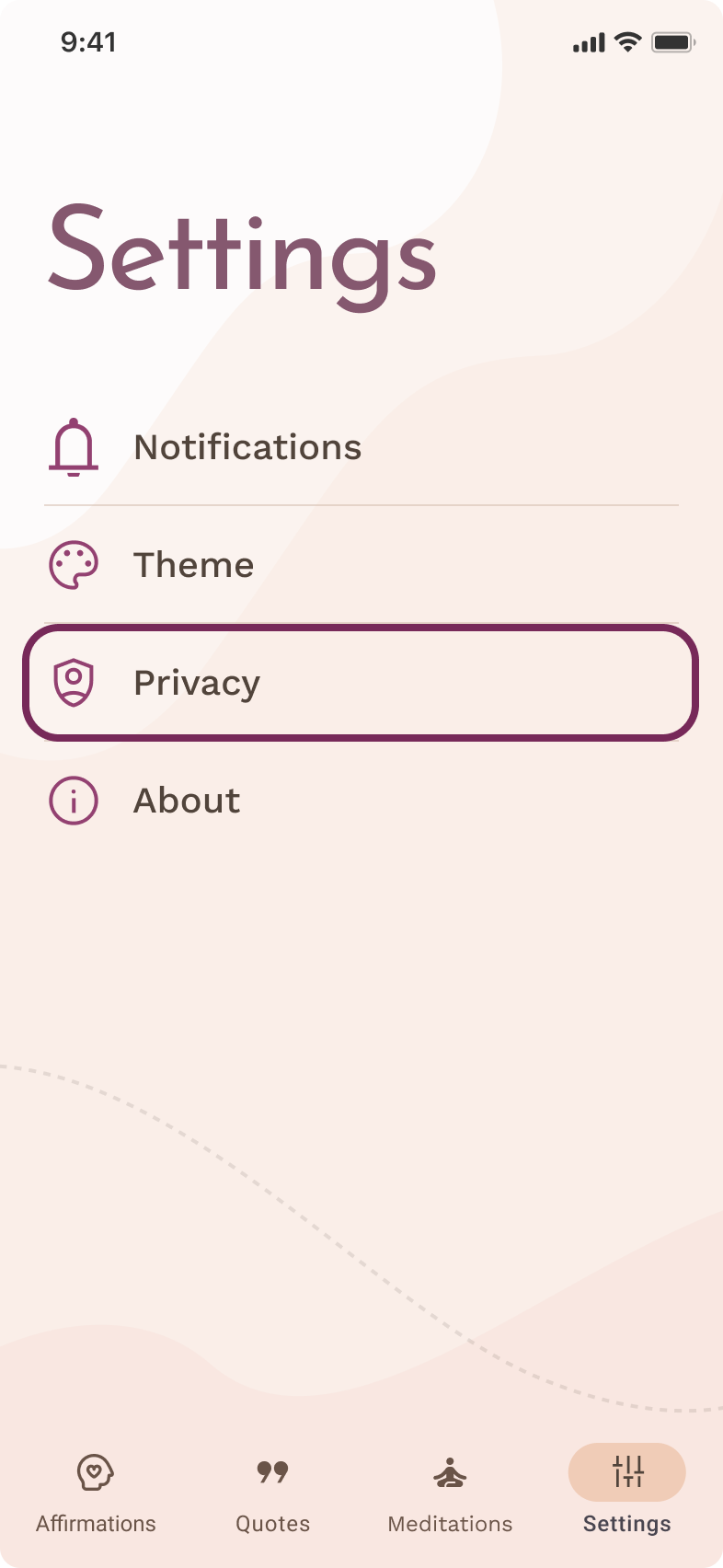
- Go to Settings.
- Tap Privacy.
- Tap Delete my data.
Your data is then deleted. When deletion completes, the app shows the message "Your data has been successfully deleted" and returns you to the app's start screen.


What gets deleted
When you use Delete my data, we delete:
- the device-level record associated with your app's pseudonymous identifier on our backend (including reminder data, content state, language, timezone, last-active information, and the push-notification registration associated with that record)
- the data stored locally on your device by the app (your preferences, selected topics, cached content, premium status flags, and the pseudonymous identifier itself)
What may be retained
Some information may be retained for a limited period where this is required or permitted by law, including:
- data we must keep to comply with legal, accounting, or tax obligations
- data needed to prevent fraud or abuse, or to maintain the security of the service
- data needed to establish, exercise, or defend legal claims
- copies held temporarily in backup and disaster-recovery systems, which are overwritten on a rolling basis
Timing
Deletion happens immediately. When you complete the steps above, your backend record and the data stored on your device are deleted right away.
More information
For full details on what data we process and why, see our Privacy Policy.
If you have questions about privacy or data deletion, you can contact us at kluj.napoku@gmail.com.